How It Works
Complete warehouse process flow from receiving to shipping
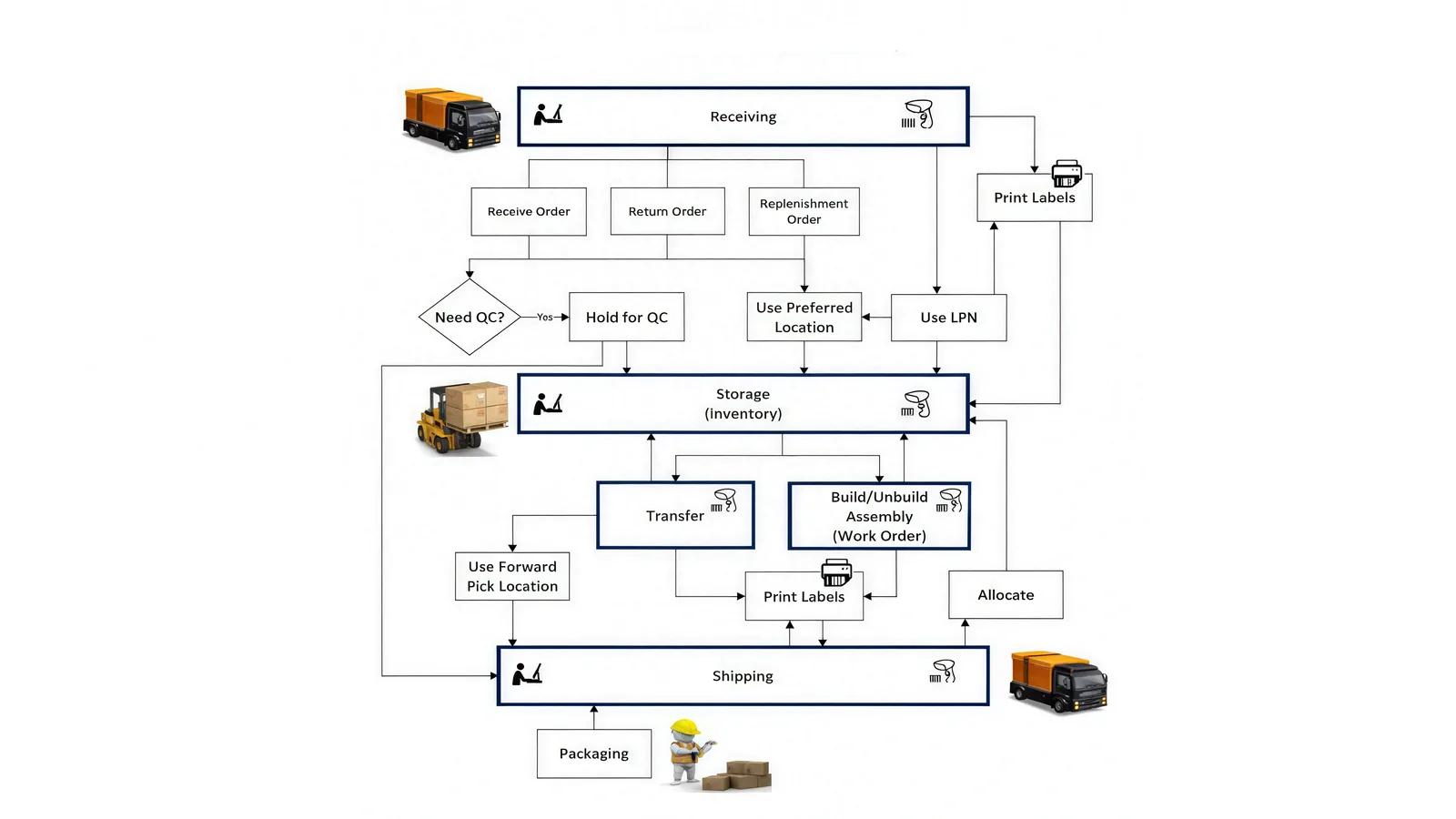
Step-by-Step Workflow Description
Receiving
New items arrive and are checked into the system. Labels can be printed if needed.
Receive / Return / Replenishment Order
Items come from purchase orders, returns, or restocking — all are logged.
Need QC?
The system checks if the items require inspection before storage.
Hold for QC
Items marked for QC are held in a separate area until they pass inspection.
Use Preferred Location
Items are automatically placed in the best storage spot based on system logic.
Use LPN
LPNs (License Plate Numbers) help group and track items easily.
Storage (Inventory)
Items are stored and tracked by location, quantity, and status.
Transfer
Items can be moved between locations or zones inside the warehouse.
Work Orders (Build/Unbuild)
Items are assembled or broken down into kits using system-generated work orders.
Print Labels
Labels can be printed for items, pallets, or storage at any stage.
Use Forward Pick Location
Fast-moving items are moved closer to packing zones for quick access.
Allocate
Items are reserved for specific orders based on availability and business rules.
Pick & Pack
Reserved items are picked, packed into boxes, and prepared for shipment.
Packaging
Boxes are sealed, labeled, and made ready for shipping.
Shipping
Orders are shipped out, and the system updates the shipment details.
Ready to Streamline Your Warehouse Operations?
See how CoreIMS can optimize your complete warehouse workflow from receiving to shipping.